
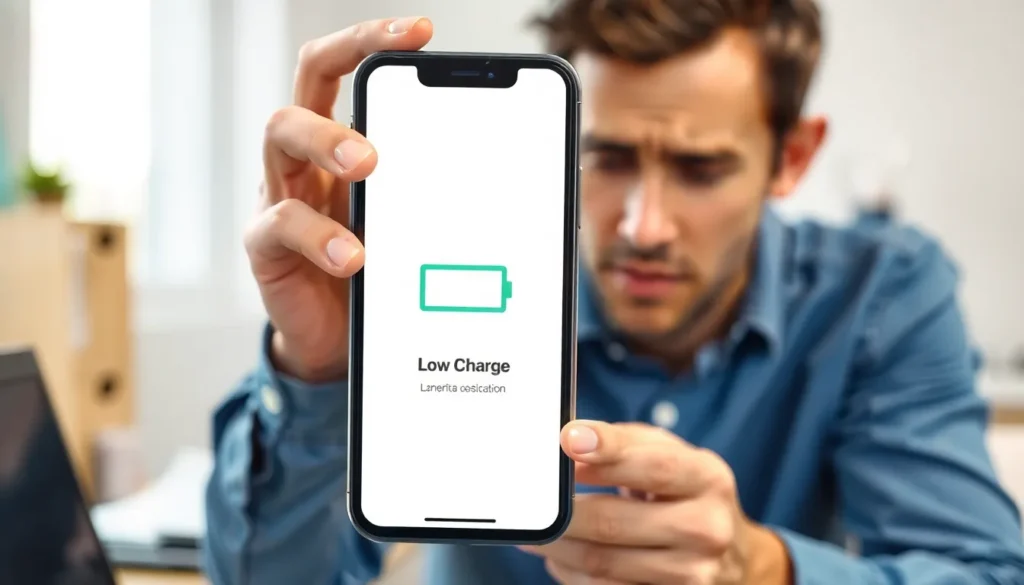
In a world where smartphones are practically an extension of ourselves, the dreaded low battery warning feels like a personal betrayal. It’s as if your phone’s saying, “Hey, remember that time you forgot to charge me? Well, payback’s a bummer!” Luckily, there are ways to keep that battery meter from plummeting into the danger zone.
Understanding Battery Life
Understanding battery life is crucial for maximizing device usage. A well-functioning battery ensures uninterrupted access to essential applications and services.
Importance of Battery Life
Battery life defines how long a device can operate without recharging. A longer battery life increases productivity and satisfaction. Users access important information and remain connected without frequent interruptions. Devices with extended battery life cater to the needs of professionals and students who rely on their smartphones for communication and conducting business. High battery performance enhances the overall user experience, minimizing frustration and enhancing convenience.
Factors Affecting Battery Life
Several factors influence battery life significantly. Screen brightness plays a vital role; higher brightness drains the battery faster. Background applications consume resources, leading to quicker depletion. Additionally, network connectivity impacts battery usage. Devices constantly searching for signals or connected to weak networks experience higher battery drain. Temperature also matters; extreme heat or cold negatively affects battery performance. Finally, battery age contributes to overall efficiency; older batteries typically hold less charge than new ones.
Battery Life Tips for Smartphones

Maximizing smartphone battery life enhances overall productivity and user satisfaction. Implementing simple strategies effectively prolongs battery performance.
Adjusting Screen Brightness
Lowering screen brightness significantly extends battery life. Reducing the brightness level by just 30% can decrease battery drain by up to 20%. Using adaptive brightness automatically adjusts the display based on surrounding light, optimizing energy consumption. Setting brightness to a comfortable level helps prevent strain on the eyes while conserving power. Utilizing dark mode, particularly on OLED screens, saves even more battery since black pixels are turned off. Regularly monitoring and adjusting screen brightness proves essential in managing smartphone batteries efficiently.
Managing Background Apps
Managing background apps plays a crucial role in conserving battery power. Closing applications not in use can prevent unnecessary energy consumption. Limiting the number of apps running simultaneously reduces the overall workload on the processor. Utilizing built-in settings to restrict background app refresh can significantly enhance battery longevity. Frequent checks on app activity allow users to identify energy-draining applications quickly. Prioritizing essential apps ensures that the most vital services remain accessible without compromising battery life.
Battery Life Tips for Laptops
Managing laptop battery life is essential for productivity. Implementing key strategies extends usage time significantly.
Optimizing Power Settings
Adjusting the power settings on a laptop can enhance battery longevity. Users can often find predefined settings by navigating to the control panel or system preferences. Reducing the screen brightness by 30% can decrease battery drain significantly. Another setting involves turning off keyboard backlighting when it’s not necessary. Users benefit from disabling Bluetooth and Wi-Fi connections if not needed. Utilizing battery-saving settings while on the go extends the duration between charges. Such customizations lead to a balanced performance that maximizes energy efficiency.
Using Battery Saver Mode
Activating battery saver mode drastically improves overall battery life. This feature limits background activity and adjusts performance levels to conserve power. Users typically access this mode through system settings or quick action menus. Notifications decrease and non-essential applications may close automatically when enabled. Setting up battery saver mode for automatic activation below a specific percentage ensures proactive management. Keeping this feature engaged during long meetings or travel enhances productivity. Employing battery saver mode creates a practical approach to maintaining optimal laptop functionality throughout the day.
General Battery Maintenance Tips
Maintaining battery health is essential for ensuring optimal device performance. Following specific practices helps extend battery life and improve reliability.
Keeping Software Updated
Regularly updating software enhances device performance and battery management efficiency. System updates frequently include optimizations that reduce battery drain. Users should prioritize security patches as well, since outdated software may lead to vulnerabilities and increased energy consumption. Checking for updates every few weeks helps users benefit from these enhancements while keeping their devices running smoothly.
Avoiding Extreme Temperatures
Exposing devices to extreme temperatures can significantly degrade battery performance and lifespan. High temperatures can lead to faster chemical reactions within batteries, causing damage. Conversely, cold conditions can temporarily reduce battery efficiency, impacting overall performance. Maintaining devices in a temperature range between 32°F and 95°F (0°C and 35°C) protects batteries from undue stress and promotes longevity.
Maximizing battery life is essential for anyone who relies on their devices throughout the day. By implementing simple yet effective strategies like adjusting screen brightness and managing background applications, users can significantly extend their battery performance. Regular software updates and mindful temperature management further enhance battery longevity.
These tips not only improve device efficiency but also ensure users stay connected and productive when it matters most. Adopting these practices will lead to a more satisfying experience, allowing users to make the most of their smartphones and laptops without the constant worry of running out of power.


